Free, open-source Parallels Desktop alternative for Apple silicon
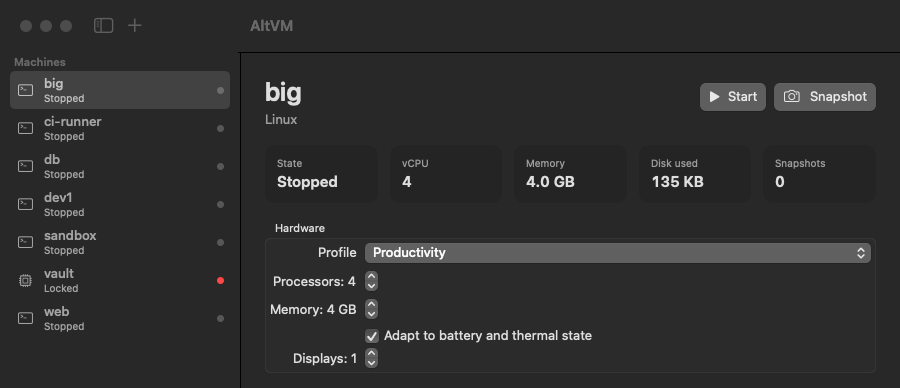
AltVM runs Linux and macOS virtual machines on M1, M2, M3, M4 and M5 Macs. It is built directly on Apple’s Virtualization.framework and is free and MIT-licensed: no subscription, no editions, and no vCPU or RAM caps.
git clone https://github.com/GagnDeep/altvm.git && cd altvm && ./scripts/build.sh
dist/avm create dev --catalog debian-13 --start   # a provisioned Linux VM in about 10 seconds
Highlights
- Linux VM in about 10 seconds. Debian and Ubuntu are provisioned unattended with your user, SSH keys, shared folders and Rosetta for x86-64 binaries. → Run Linux on Apple silicon
- macOS virtual machines, fully automatic: download, install and user setup. → macOS VM guide
- Sandbox for AI agents. Screenshot, mouse and keyboard APIs, a built-in MCP server for Claude Code and Claude Desktop, and rollback snapshots. → AI agents & MCP
- Live snapshots with RAM, instant copy-on-write clones, 0.65 s resume, and disposable and isolated modes.
- Automation: a CLI for everything, a REST API, a web console, Prometheus metrics, and fleets as code. → CLI reference
- Enterprise: signed policies (fail closed), signed golden images, encrypted VMs with IT key escrow, and a hash-chained audit log.
How it compares
AltVM covers what Parallels Desktop splits across its Standard, Pro, Business and Enterprise editions, for Linux and macOS guests. It does not run Windows, because Windows on Arm does not boot on Apple’s Virtualization.framework. → AltVM vs Parallels, VMware Fusion, UTM and VirtualBox
Documentation
- Getting started: install, first VM, shared folders, snapshots, macOS, troubleshooting
- Run Linux on an M1/M2/M3/M4 Mac
- Create a macOS virtual machine
- AI agents, MCP and computer use
- CLI reference
- Comparison with Parallels, VMware Fusion, UTM and VirtualBox
AltVM is an independent open-source project, not affiliated with Parallels, Broadcom/VMware, UTM or Oracle.